New Version (1.0.16) of Power Automate Actions Extension - Site Panel Support

With this new feature, users can now:
- Extension Side Panel Handler - Thanks to Tomi Tavela’s suggestion, the extension can now also be displayed in a side panel. This is a more convenient way to access all the extension features while keeping the tool open at all times. This way, you can see all recorded actions live and there’s no need to open the extension popup repeatedly to copy actions in the Power Automate editor.
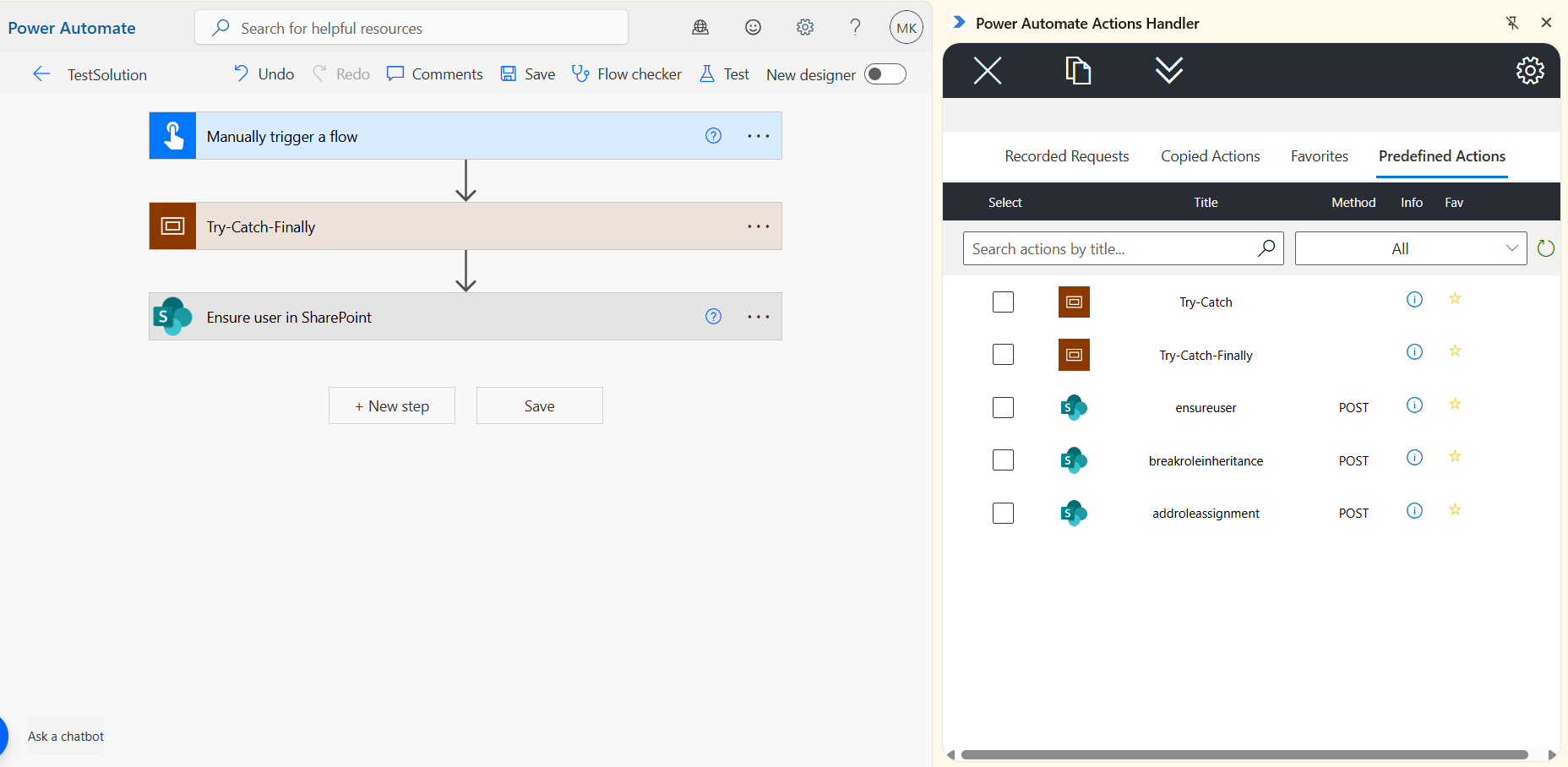
- Default Predefined Actions - Since Power Automate doesn’t include all possible SharePoint and other actions, the goal of this feature is to provide a list of commonly used actions that are missing from the standard Power Automate toolbox. This feature allows you to add both individual actions and snippets of action groups. The list will be continuously improved and added to the tool. The complete list is stored in the open GitHub repository.
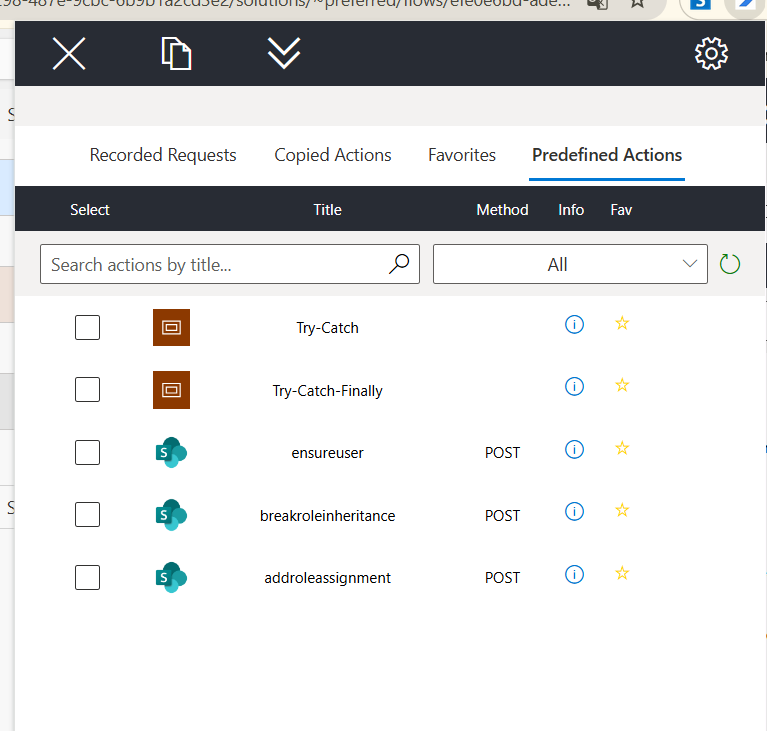
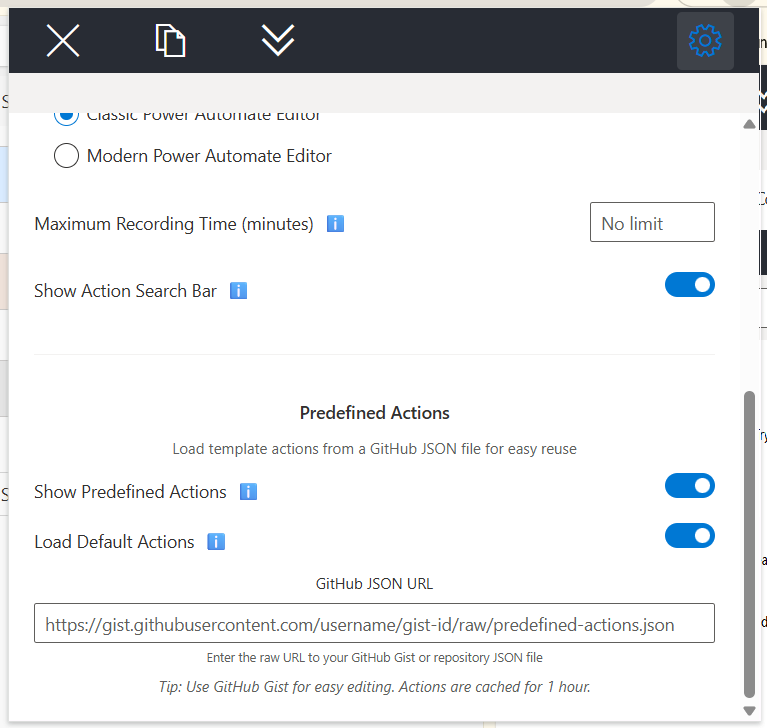
To enable this feature, set the ‘Load Default Actions’ toggle.
Full Change Log:
1.0.16
- Adds default predefined actions functionality.
- Adds side panel handler
Power Automate Actions Extension.
To get more information regarding the custom solution, check my previous article on the Power Automate Actions Extension.
How to install the tool?
The tool is available on the Chrome Store.
If you would like to install the extension manually - please unpack the ApplicationBuild zip file and follow the steps described here to install the package locally.
Disclaimer
The tool was meant to ease my daily pains with reproducing steps throughout various workflows. I based it on the current implementation of the Power Automate maker experience and any updates to the interface or underlying processes may cause the tool to stop working. The code is available on GitHub. You are welcome to use it for your personal efficiency and share your feedback in Issues section.