SharePoint Api - Cache

Introduction
When you check SharePoint API logs, you can often see two endpoints: ReadCacheOrCreate and ReadCacheOrCreate2.
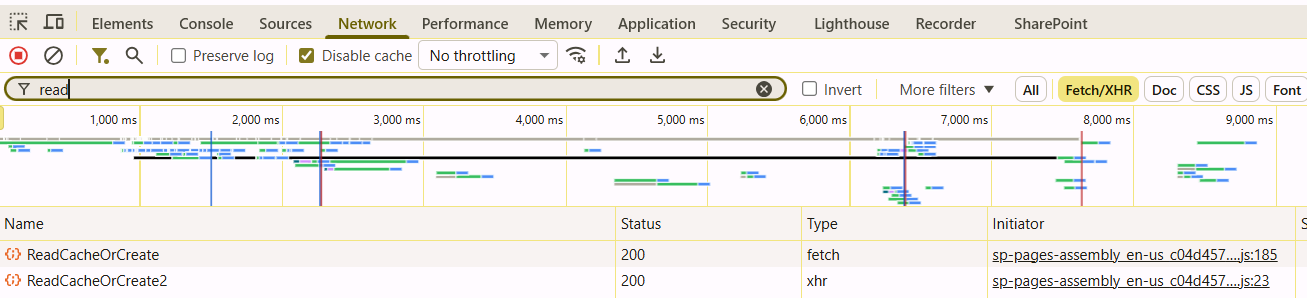
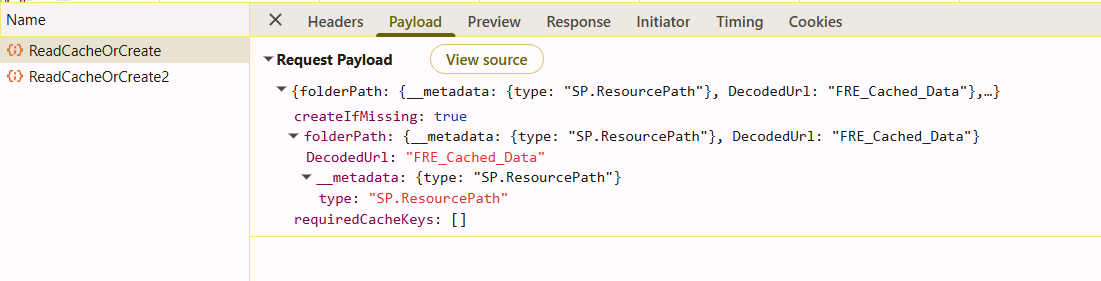
Request and response details do not clearly explain their purpose at first, but they give useful hints.
How It Works
So far, I have not found a major difference between ReadCacheOrCreate and ReadCacheOrCreate2.
From my tests, both endpoints work with the same payload.
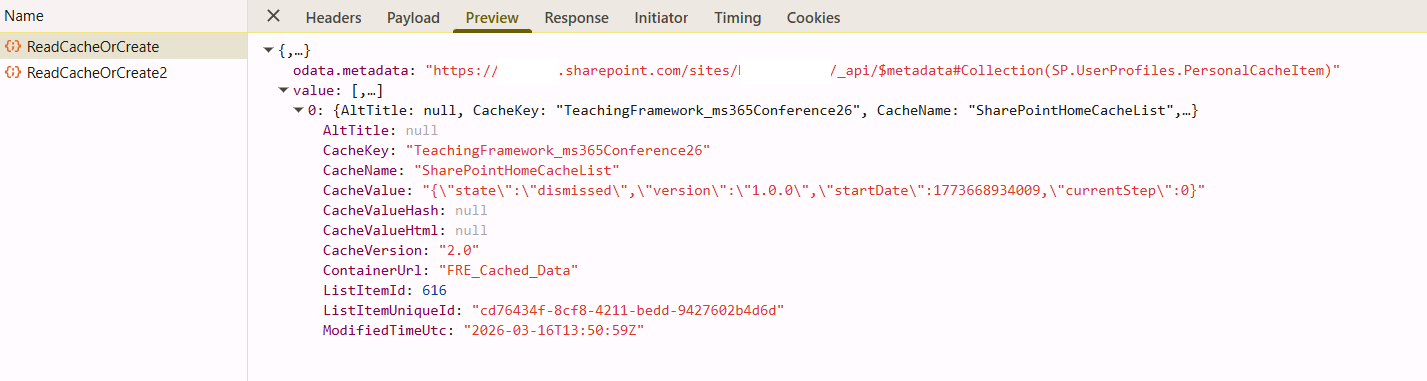
In practice, response payloads suggest that these calls store and read UI state and component metadata.
For example, results may include data about specific web parts, or flags that show whether the user already dismissed default SharePoint components.
Where Is It Stored?
To see where this data is stored, check the user personal site.
This site is not only for user files. It also contains hidden lists.
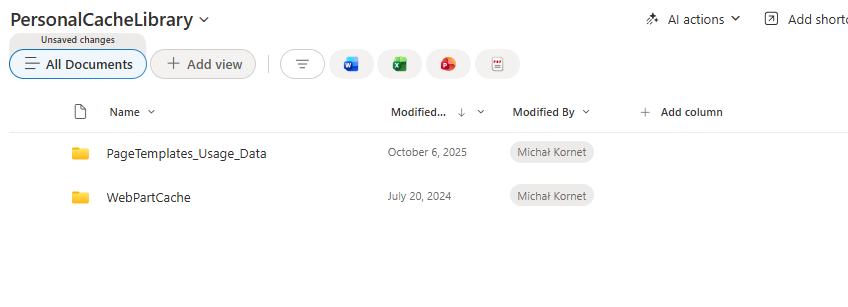
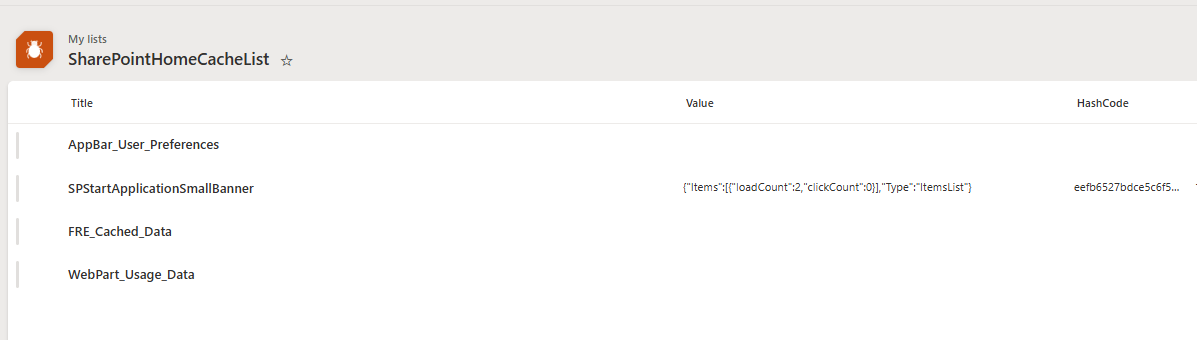
There are likely several hidden lists for user-related data, such as SharePointHomeCacheList and PersonalCacheLibrary.
These lists are the source used by this API.
What Is Stored There?
Both lists use folders to group data.
In PersonalCacheLibrary, you can find data about page template usage and web part cache.
In SharePointHomeList, you can find web part usage, some app settings, and FRE_Cached_Data.
FRE_Cached_Data includes details such as whether the user dismissed some information shown on the tenant.
Usage
The example below gets or creates a specific cache key in the FRE_Cached_Data folder of SharePointHomeList.
Replace contoso with your value.
URL:
POST https://*contoso*.sharepoint.com/_api/SP.UserProfiles.PersonalCache/ReadCacheOrCreate
Headers:
{
  "accept": "application/json;odata=verbose",
  "content-type": "application/json;odata=verbose"
}
Body:
{
  "folderPath": {
    "__metadata": {
      "type": "SP.ResourcePath"
    },
    "DecodedUrl": "FRE_Cached_Data"
  },
  "requiredCacheKeys": [
    "TestKey"
  ],
  "createIfMissing": true
}
An example of result:
{
  "odata.metadata": "https://tenant.sharepoint.com/sites/site/_api/$metadata#Collection(SP.UserProfiles.PersonalCacheItem)",
  "value": [
    {
      "AltTitle": "TestKey",
      "CacheKey": "TestKey",
      "CacheName": "SharePointHomeCacheList",
      "CacheValue": null,
      "CacheValueHash": null,
      "CacheValueHtml": null,
      "CacheVersion": null,
      "ContainerUrl": "FRE_Cached_Data",
      "ListItemId": 617,
      "ListItemUniqueId": "1f433061-56c4-4974-bf87-c375f36b7778",
      "ModifiedTimeUtc": "2026-03-18T20:01:20Z"
    }
  ]
}
Additional Notes
You may ask: why not use a standard Add list item call and write directly to that list?
Based on observed behavior, this is likely blocked by architecture boundaries.
A regular SharePoint site and a user personal site are in different domains, so we cannot send a standard request directly to the personal site from the current site context.
Summary
Can we use this in custom solutions? Technically yes, but I do not recommend relying on it in production.
These endpoints are not publicly documented, so any implementation is at your own risk and may break without notice.
The goal of this article is to explain observed behavior and show how this mechanism works.
It also suggests that if you want to store user information outside the user profile, the personal site may be a good direction, because SharePoint already does this.