Hybrid Input for Fast Match Data Entry

The Context
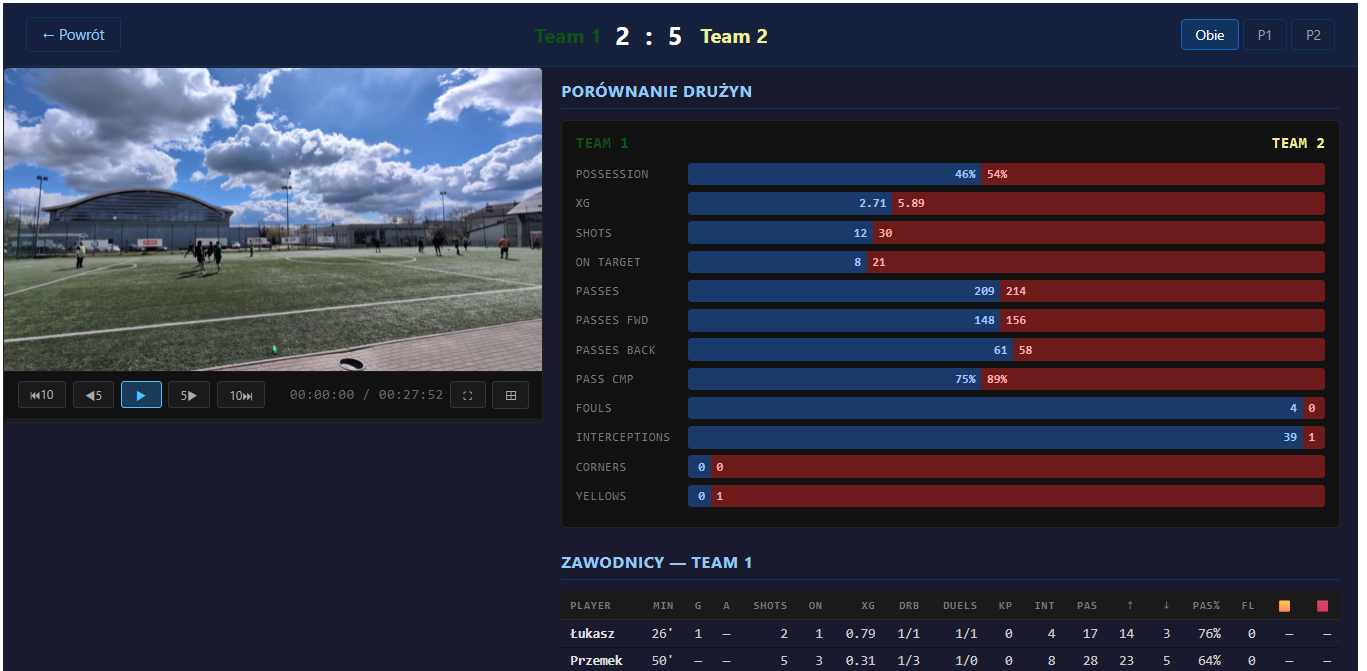
In today’s article I would like to touch on a more theoretical topic. We live in a great time for data analysis. AI tools can process large amounts of data, find patterns, and generate insights in seconds. The problem is that someone still has to provide that data in the first place.
I noticed this while working on a small side project for my amateur 6v6 football team. I wanted to analyze match events — shots, goals, passes, ball losses, pitch zones, and direction of play. There is no tool I could find that automatically extracts this level of detail from a video recording. I also considered using AI vision models to process the video frames, but the token cost for a full match would be enormous — and getting reliable results would not be straightforward either, since amateur football rarely has a fixed camera setup and the game flow is quite different from full-pitch football (which is what most models are trained on). So the data had to be entered manually.
The question was: how do you make that process as fast as possible?
The Problem with Traditional Forms
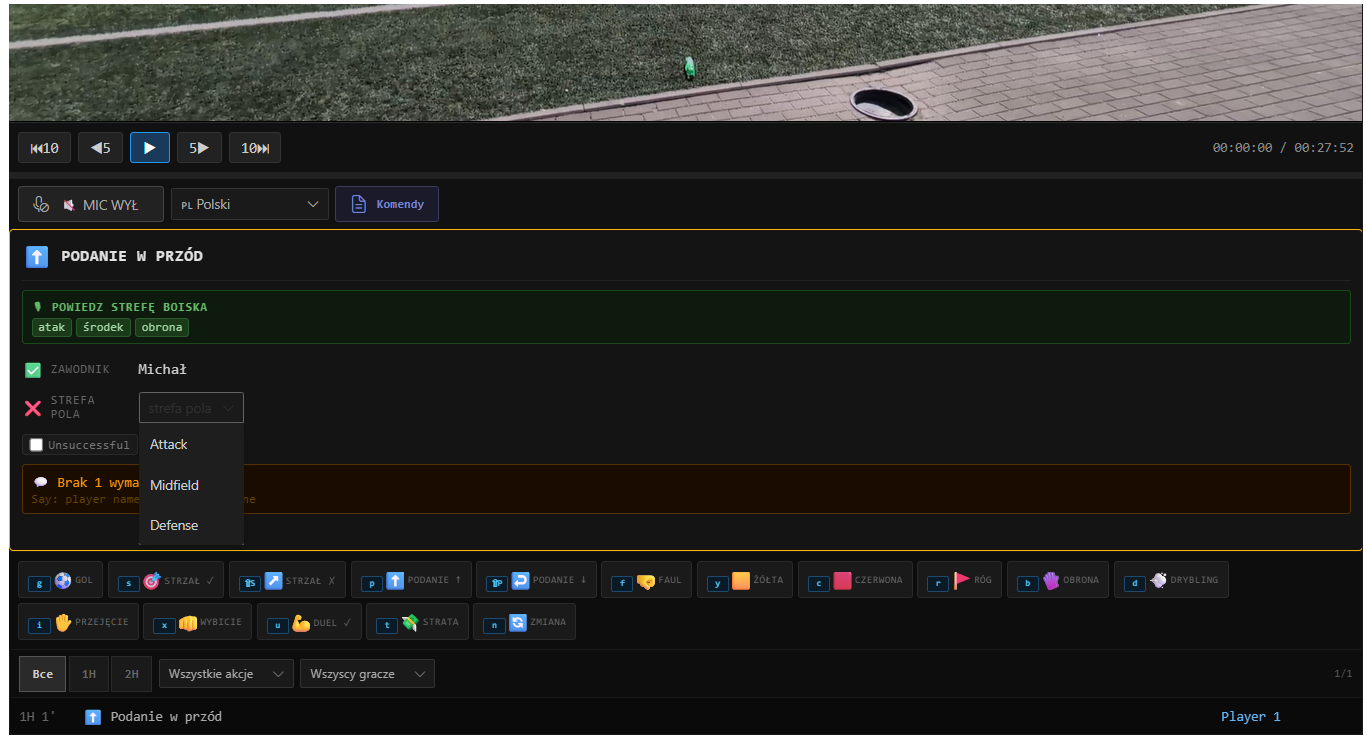
The obvious approach would be a form — dropdowns for action type, player, pitch zone, direction, and so on. But filling out a form for every single action during a match is painfully slow. A typical 6v6 match has dozens of events per half. By the time you find the right dropdown and select a value, the next action has already happened.
The human becomes the bottleneck in the pipeline.
The Hybrid Input Approach
Instead of relying on a single input method, I built a hybrid approach that combines three ways of registering an event:
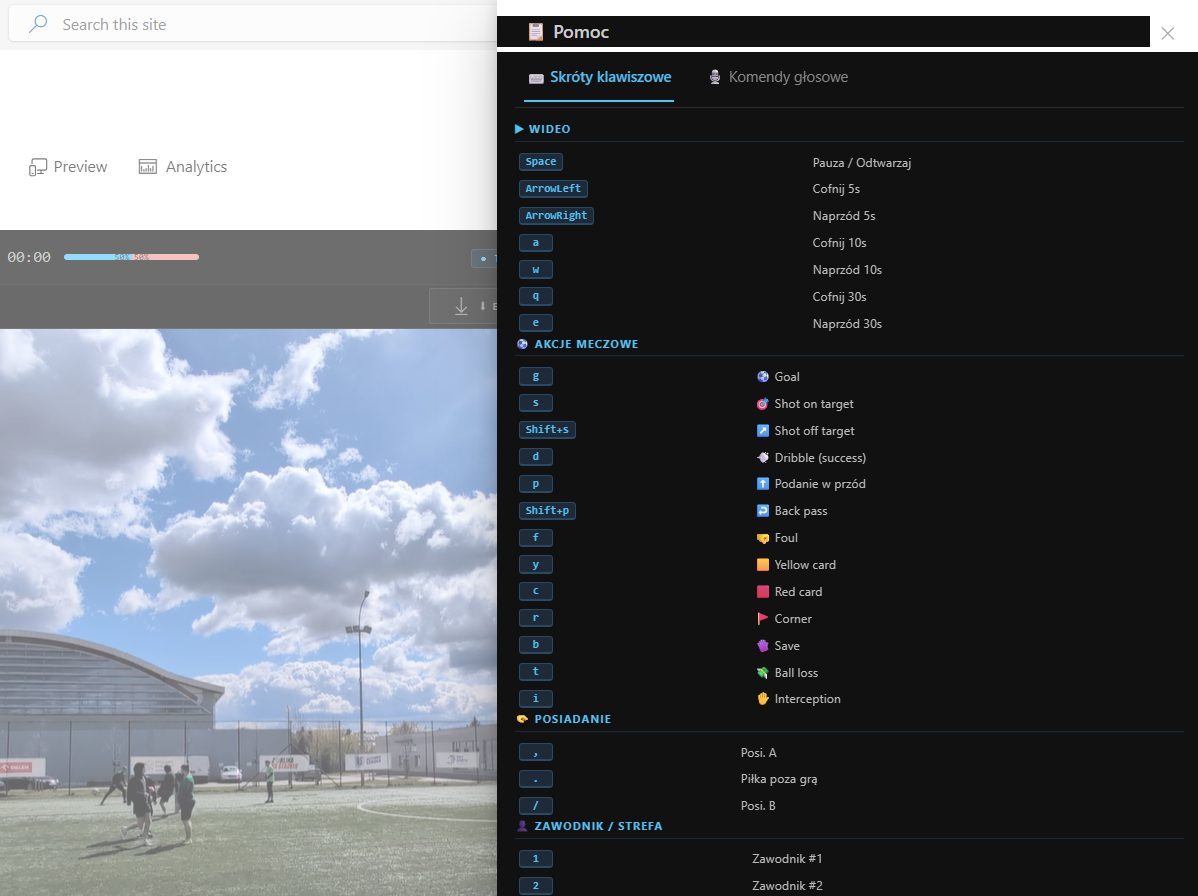
- Keyboard shortcuts — each key maps to a specific match action, video playback control, or possession change
- Mouse click on a pitch map — click the zone where the action happened
- Voice commands — say the action out loud
The action was to register a complete event in under two seconds instead of time consuming clicking.
Keyboard Shortcuts
Each key on the keyboard is mapped to a specific action or to a possession change. Pressing a key instantly pre-selects the action type, so the only thing left to do is confirm the zone and player.
For example:
| Key | Action |
|---|---|
G |
Goal |
S |
Shot |
P |
Pass |
L |
Ball loss |
Mouse Click on the Pitch Map
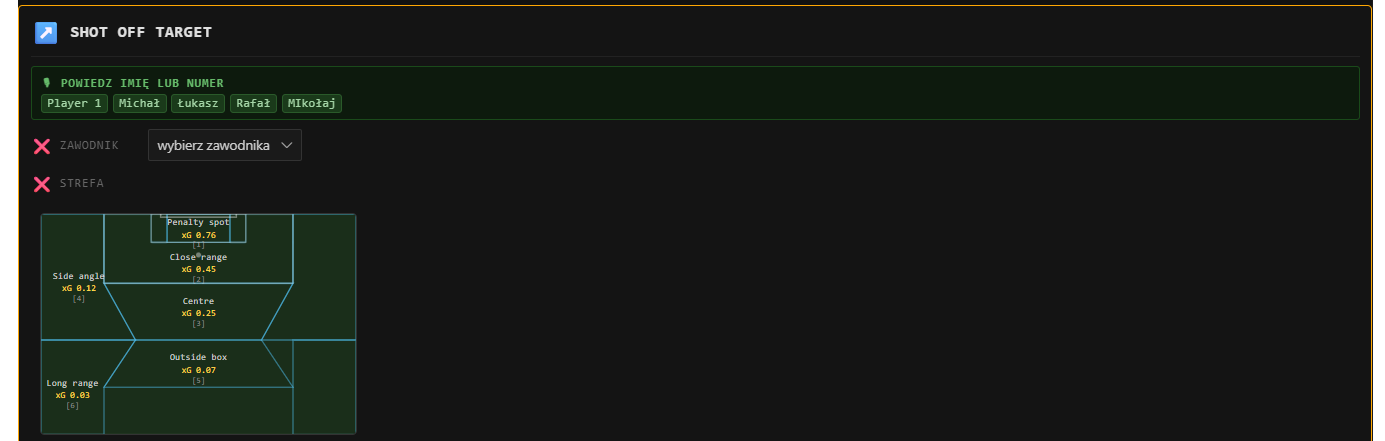
The app includes an SVG pitch map divided into zones. A single click registers the location of the shot.
Voice Input
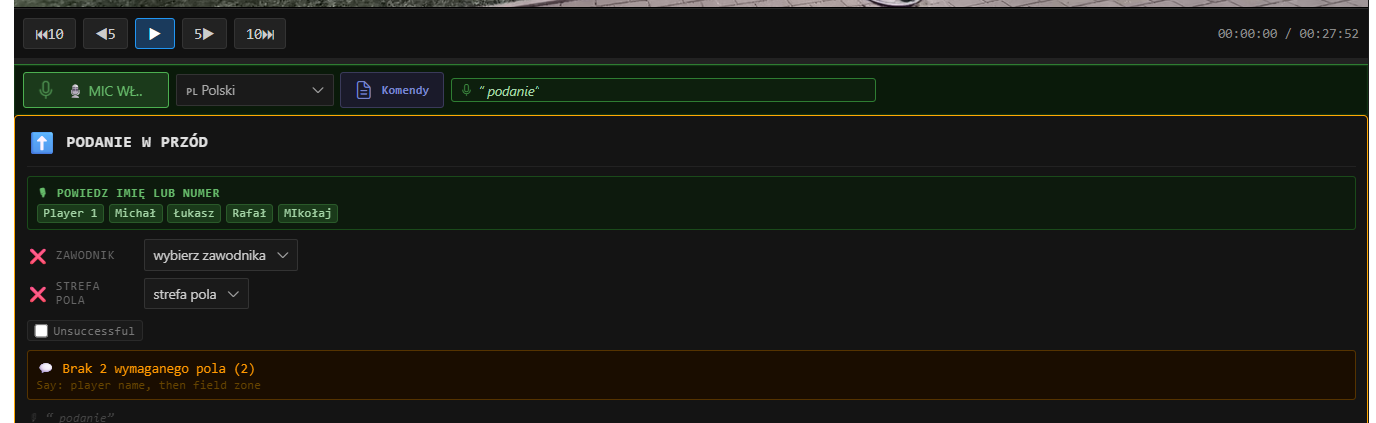
For situations where both hands are busy (or the user simply prefers it), the app supports voice commands using the Web Speech API built into modern browsers. Saying the action name — for example “goal” or “shot” — pre-fills the action type field, and then moves focus to the next fields such as player and pitch zone.
A Typical Registration Flow
Here is what registering a shot looks like in practice:
Using keyboard + mouse:
- Press
S— action type is set to Shot - Click the zone on the pitch map where the shot happened
- Select the player (one click from a small player list)
- The event is saved automatically to the database
Using voice:
- Say “goal” — the microphone picks up the command and sets the action type to Goal
- Click the zone on the pitch map where the goal was scored
- Select the player
- The event is saved automatically to the database
The same result can also be achieved by mixing all three methods freely, since every action supports all input types.
Results
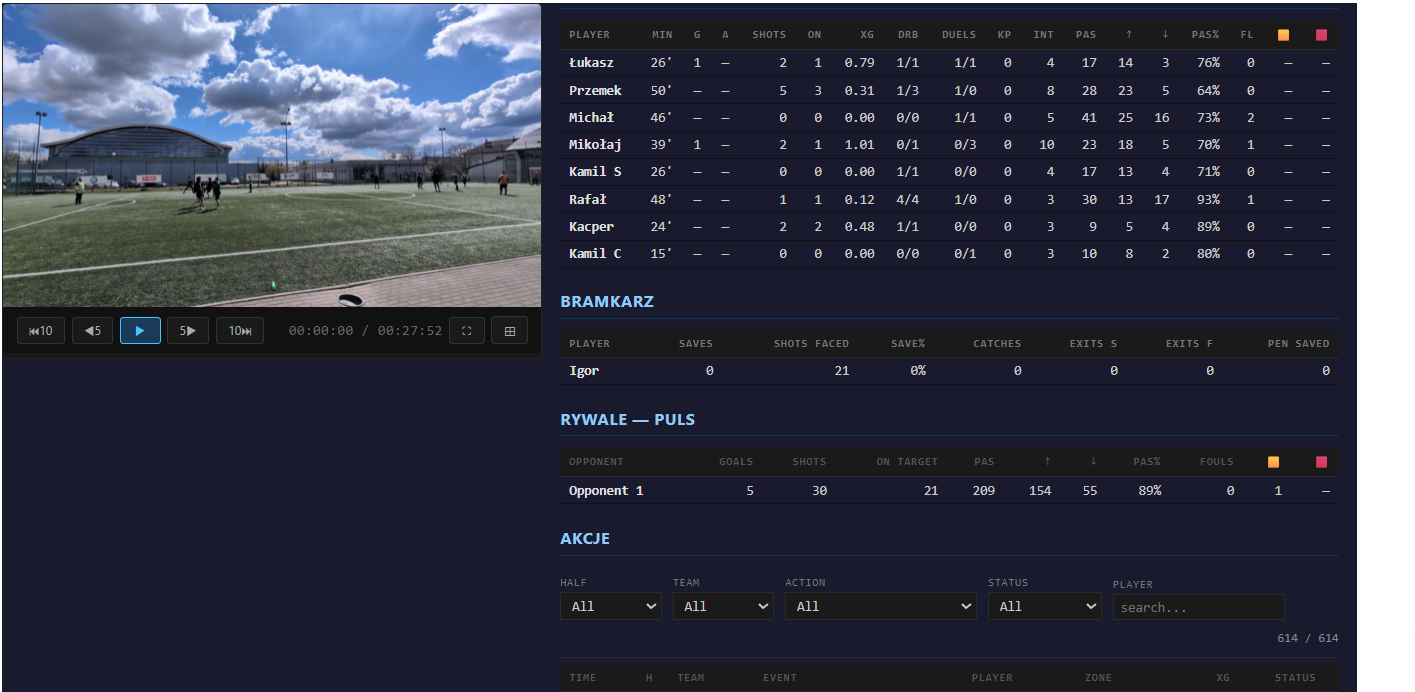
Using this approach, I could watch a match replay at normal speed and register events without stopping the video often. After the match, the collected data shows useful information about team performance — for example, which zones were used most, where ball losses happened, and how often the team played forward versus backward. In my tests I have collected around 600 events per match. Without hybrid approach that task would be very time consuming.
Summary
AI is great at analyzing data. But first, someone has to collect that data.
When there is no tool to do it automatically, the only option is manual entry. In that case, the speed of data entry becomes very important.
Using a mix of keyboard shortcuts, mouse clicks, and voice commands makes it possible to register each event in about one second. This is much faster than filling out forms with dropdowns.
The key idea is simple: give the user multiple ways to enter the same data, and let them choose the fastest one in each moment.