New Version (1.0.19) of Power Automate Actions Extension - Variables Handling

With this new feature, users can now:
- Placeholder Variables - Predefined actions can now contain
{{PLACEHOLDER}}tokens (e.g.{{SITE_URL}},{{LIST_TITLE}}) instead of hardcoded values. When you click “Copy with options” on an action, a modal opens letting you fill in every placeholder before the action is copied to your clipboard - no more manually editing JSON after pasting into the flow editor.
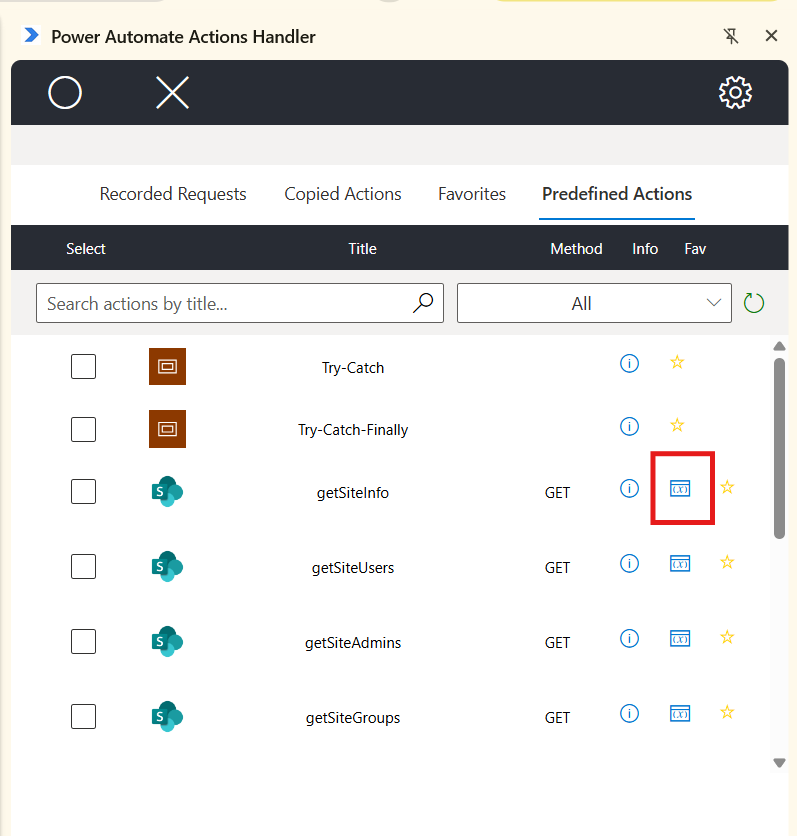
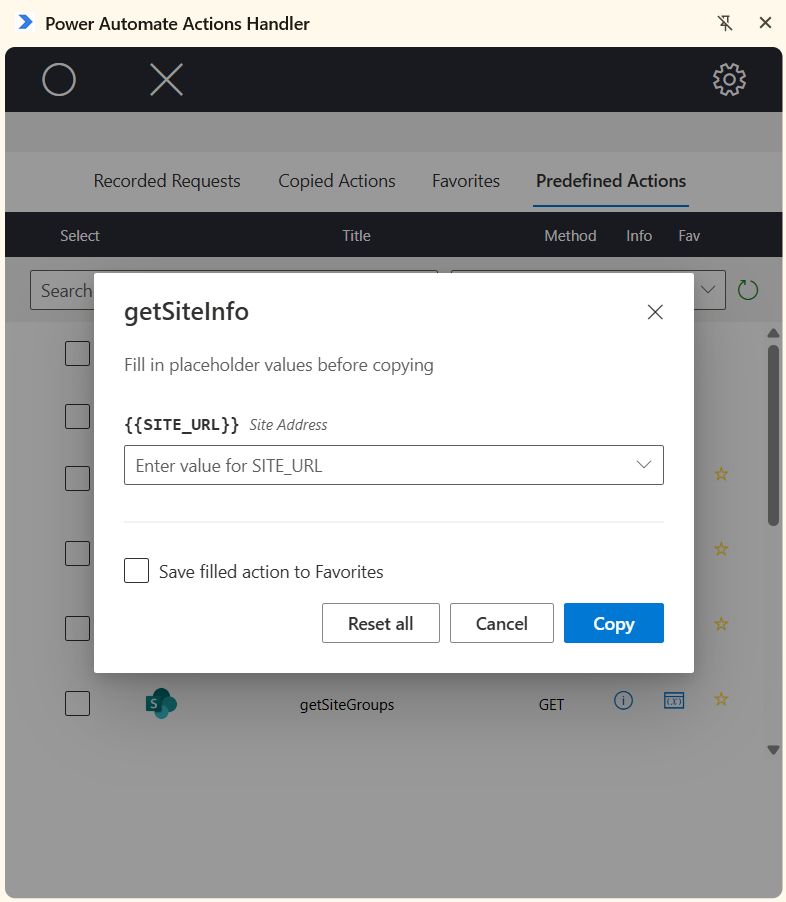
- Dynamic Content Chips - When you copy a step from the Power Automate editor that already contains dynamic content expressions (like
@outputs('Compose')or@{triggerOutputs()['headers']['x']}), the extension now recognizes them and displays them as friendly, colored chips instead of raw expression text - both when viewing action details and while editing a stored action’s URL, headers, or body. Click a chip to edit the underlying step reference inline, with live validation so you can’t accidentally save a broken expression.
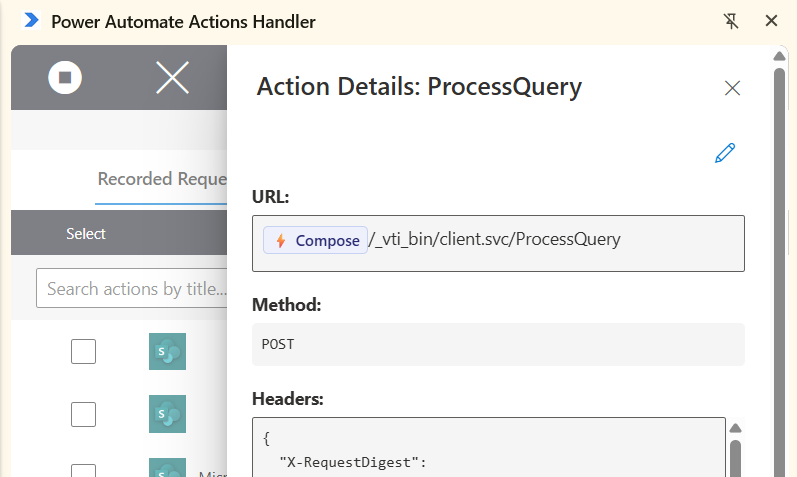
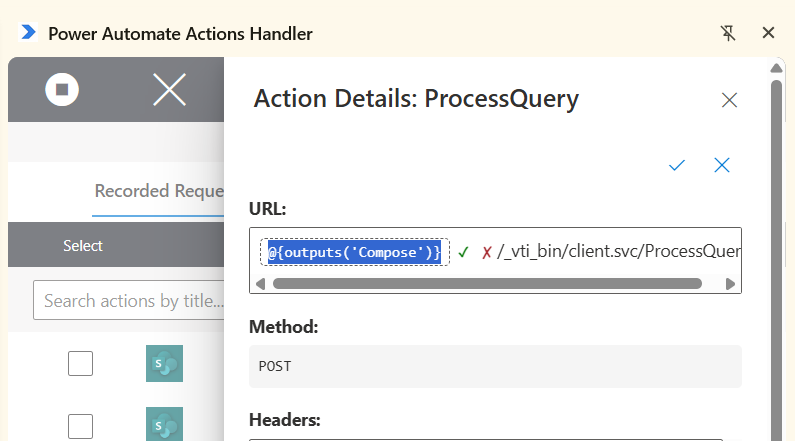
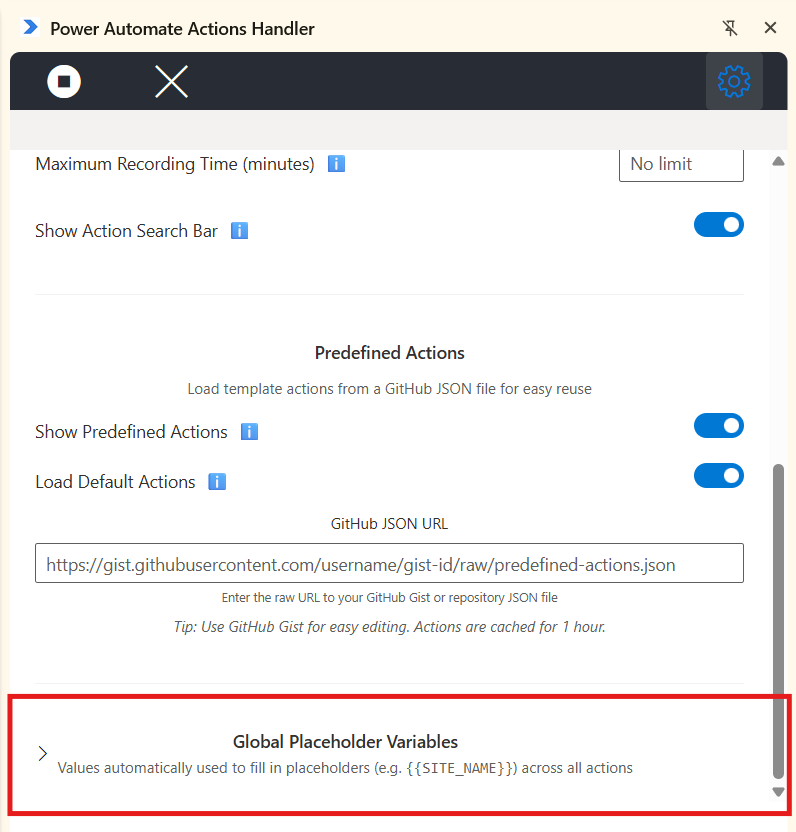
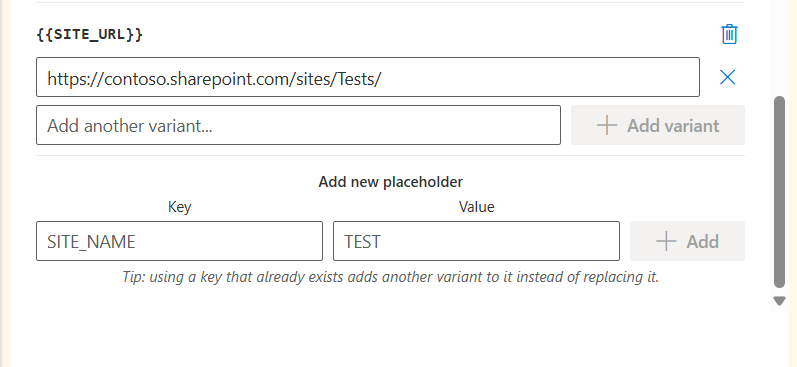
- Global Placeholder Variables - The Settings tab now has a collapsible “Global Placeholder Variables” section where you can save reusable values for your placeholders (e.g. your team’s
{{SITE_URL}}) once, instead of retyping them every time you copy an action. Each placeholder can hold multiple saved variants (e.g. different site URLs for Dev/Test/Prod), selectable from a dropdown when filling in an action.
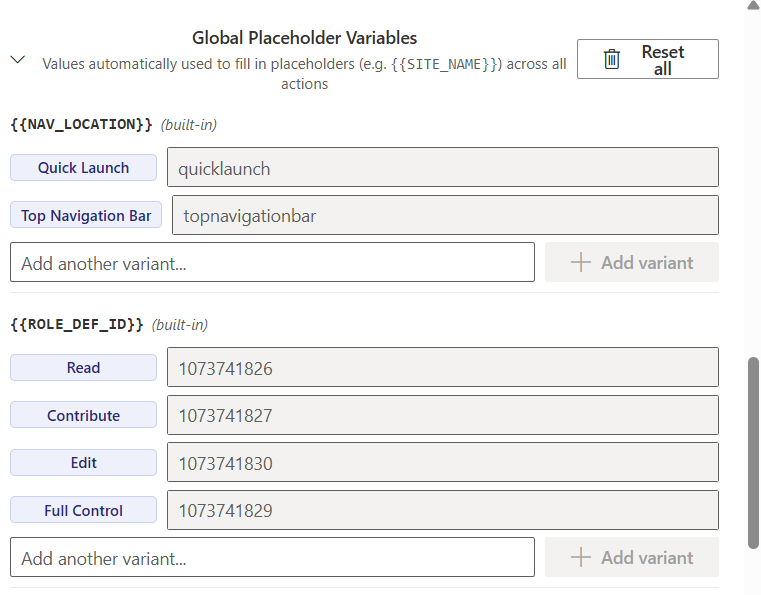
- Built-in Options for Common Parameters - Some placeholders now come with predefined, self-describing options out of the box instead of plain text fields:
{{ROLE_DEF_ID}}shows a dropdown of permission levels (Read/Contribute/Edit/Full Control) with tooltips explaining each one,{{COPY_ROLE_ASSIGNMENTS}}and{{IS_EXTERNAL}}show as a Toggle switch with descriptive on/off labels, and{{NAV_LOCATION}}shows a dropdown for Quick Launch vs. Top Navigation Bar. These built-in options are always visible in Settings even before you use them, so you know what’s available.
Full Change Log:
1.0.19
- Added variables handling
Power Automate Actions Extension.
To get more information regarding the custom solution, check my previous article on the Power Automate Actions Extension.
How to install the tool?
The tool is available on the Chrome Store.
If you would like to install the extension manually - please unpack the ApplicationBuild zip file and follow the steps described here to install the package locally.
Disclaimer
The tool was meant to ease my daily pains with reproducing steps throughout various workflows. I based it on the current implementation of the Power Automate maker experience and any updates to the interface or underlying processes may cause the tool to stop working. The code is available on GitHub. You are welcome to use it for your personal efficiency and share your feedback in Issues section.